
VideoProc vs CapCut: Which Editor Wins? Clear Verdict Inside 2025
Let’s be honest — we all want video editing to be fast and simple.
If you make vlogs, game clips, or TikToks, the right app can save so much time.
Two big names you’ll hear a lot are VideoProc and CapCut Pro APK. Both are packed with cool tools, but they’re made for very different people.In this guide, we’ll break down VideoProc vs CapCut, test what each one does best, and help you pick the one that truly fits your style in 2025.
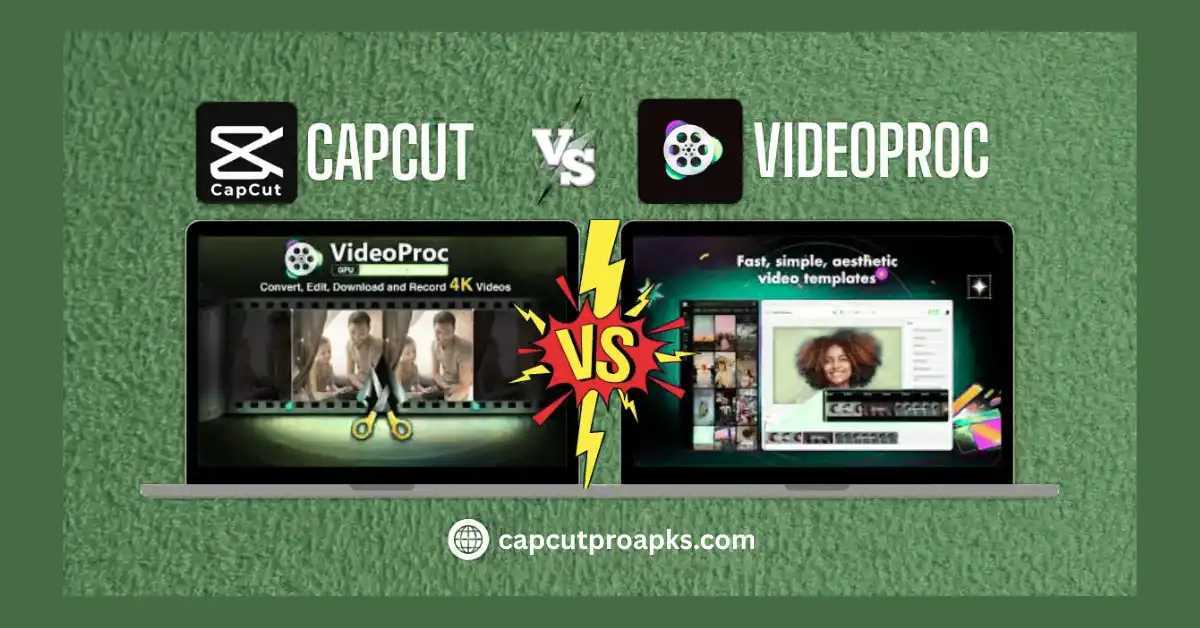
VideoProc vs CapCut: Quick Look
VideoProc is made by Digiarty Software. It’s more like a full video toolbox — you can cut, convert, record, and compress files. It’s perfect for creators who edit on PC or Mac.
CapCut, made by ByteDance (the company behind TikTok), is built for speed. It’s free, mobile-friendly, and made for social media videos.
So yeah — both are strong, but in very different ways.
Ease of Use: Which One’s Simpler?
Let’s start easy — how smooth is it to edit?CapCut wins big here. The layout is clean, and tools are right where you need them. Even if you’ve never edited before, you can trim, add sound, and drop effects in seconds.
VideoProc has more buttons and feels a bit techy. It’s great for YouTubers or filmmakers who like fine control, but beginners may need time to learn.
Verdict: CapCut is faster for short edits. VideoProc gives more power for long, detailed projects.
Editing Tools: What You Get
CapCut focuses on short-form creation. You get:
- Auto captions and speech-to-text
- Trending filters and TikTok sounds
- Smart AI tools for background removal and motion tracking
VideoProc brings deeper control:
- 4K editing and GPU acceleration
- Screen recording
- Audio cleanup and color correction
- Built-in video converter
In short, CapCut is made for fun and speed. VideoProc is made for detail and control.
Performance & Speed
If you edit on mobile, CapCut runs super fast — it’s built for Android and iPhone. No lag, no crashes.If you edit on a laptop, VideoProc shines. Its hardware boost feature makes exporting super quick. It can even handle 4K without your fan going crazy.
Verdict: CapCut wins for phones. VideoProc wins for desktops.
AI Features: Smart or Just Hype?
Both have AI tools now — but they use them differently.
CapCut’s AI helps with:
- Auto-cutting clips
- Auto captions
- Background blur
- Style transfer
VideoProc’s AI leans toward precision:
- Stabilizing shaky footage
- Noise reduction
- Smart compression without losing quality
Verdict: CapCut’s AI saves time. VideoProc’s AI improves quality.
Pricing: Free or Paid?
CapCut is 100% free. You can use all its main tools without paying a cent. There’s a Pro plan, but it’s totally optional. VideoProc has a free version, but some tools (like full conversion or export without watermark) need a paid license. Still, it’s a one-time payment — not a monthly plan.
Verdict: CapCut wins for budget users. VideoProc is better for pros who want advanced tools.
Platforms and Access
- CapCut works on Android, iPhone, PC, and web.
- VideoProc is desktop-only (Windows and macOS).
If you’re always on your phone, CapCut fits your lifestyle. But if you want full CPU and GPU control for large edits, VideoProc is the way to go.
Best For Different Users
| User Type | Best Choice | Why |
| Beginners | CapCut | Simple and quick to learn |
| Mobile editors | CapCut | Works perfectly on phones |
| YouTubers | VideoProc | Strong editing and exporting power |
| Screen recorders | VideoProc | Has built-in recording tools |
| Social creators | CapCut | Has templates, captions, and sound sync |
Real Creator Insight
I’ve used both. Honestly, CapCut feels fun — it’s perfect for TikTok and Instagram reels. But when I need to cut a long YouTube video or clean up audio, VideoProc gives me better control and cleaner exports.So if you edit often, try both. You’ll feel the difference right away.
Pros and Cons
CapCut Pros
Free to use
Easy and fast
AI captions and templates
Great for mobile
CapCut Cons
Limited advanced control
Not ideal for long videos
VideoProc Pros
Great for 4K and large files
All-in-one (edit, convert, record)
Clean exports with GPU boost
VideoProc Cons
Not free for full features
Slight learning curve
Verdict: Who Wins in 2025?
If you’re editing short clips, memes, or TikToks — CapCut wins.
If you’re editing long videos, YouTube content, or want full control — VideoProc wins.
Both are strong. But your workflow decides the winner.
In the above article, I’ve covered…
That’s the full story on VideoProc vs CapCut — what they do, how they run, and who they’re best for. Got thoughts? Write them below or ask me anything. Stay creative and choose the editor that works best for your videos.
FAQs
Q: Is VideoProc free?
You can try VideoProc for free, but it has limits. If you want all tools and no watermarks, you’ll need the paid plan.
Q: How much does VideoProc cost?
It’s not too costly. You can get a yearly plan for about $25, or a lifetime one for around $45. They sometimes give sales too.
Q: What is VideoProc used for?
It helps you edit, trim, and fix videos fast. You can also record your screen or make big files smaller without losing much quality.
Q: Is VideoProc better than CapCut?
A: It depends. VideoProc is better for high-quality YouTube videos. CapCut is better for fast TikTok edits.
Q: Is CapCut still free in 2025?
A: Yes, CapCut remains free for all main features.
Q: Does VideoProc work on mobile?
A: No, VideoProc is only for desktop (Windows and Mac).


