
Can CapCut Pro improve video quality in 2026? Honest Answer
Can CapCut Pro improve video quality? Learn what it really fixes, what it doesn’t, and whether Pro is worth it.
Introduction
Let’s be real for a second.
You shoot a video. It looks okay on your phone. Then you edit it, export it, and boom—it looks worse. Blurry. Flat. Washed out. That’s when people start asking, can CapCut Pro improve video quality? And honestly, it’s a fair question. CapCut is everywhere now. TikTok edits. YouTube Shorts. Reels. But not everyone knows what Pro actually changes.
In this article, I’ll explain Can CapCut Pro improve video quality, what it really fixes, and what it doesn’t.
No hype. No promises it can’t keep. Just real talk from actual editing use.
What “video quality” really means in CapCut
Before we talk upgrades, we need to clear something up. Video quality isn’t just “HD” or “4K.” It’s sharpness, color, motion, and sound. Bad exports ruin good clips. Wrong settings kill detail. That’s why people look at CapCut Pro hoping it magically fixes everything. It doesn’t do magic—but it does help.
Does CapCut Pro actually improve quality?
Short answer? Yes, but only if you use it right. Long answer?
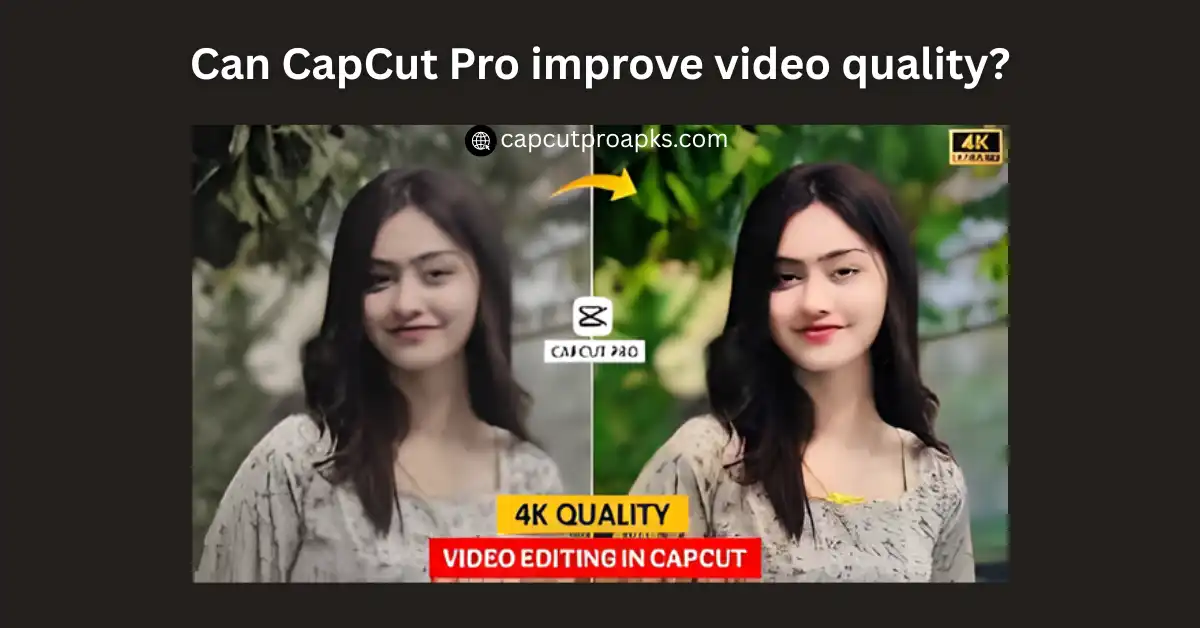
It improves control, not the original footage. That’s the key thing most people miss when asking Can CapCut Pro improve video quality?
Better export settings with CapCut Pro
Higher resolution options
The free version limits export choices. Pro opens higher resolution and bitrate options. That alone helps keep videos sharper. This matters a lot for YouTube and Instagram uploads.
Better bitrate control
Bitrate controls how much data stays in your video. Low bitrate equals blurry motion. With Pro, you get more stable exports. Less compression damage. This is where quality improves the most
Color tools make a real difference
Color adjustment tools
CapCut Pro gives more control over color. Brightness. Contrast. Saturation. You won’t get Hollywood grading.
But you can fix dull clips. This works on CapCut for iOS, CapCut for PC, and CapCut for Mac.
LUTs and filters (used lightly)
Pro unlocks more filters. Used lightly, they help. Used too much, they ruin footage. Real tip:
Lower filter strength every time.
Sharpening and clarity tools
CapCut Pro adds light sharpening options. This helps soft clips. But don’t overdo it. Too much sharpening adds noise. This is why people confuse “sharp” with “quality.”
Audio quality also improves
Cleaner voice control
Pro gives better audio adjustment. Volume curves. Noise control. For talking-head videos, this matters a lot. Bad audio kills good video fast.
Music balance is easier
Pro lets you balance music and voice better. No more drowning out speech. That alone makes videos feel higher quality.
Frame rate and motion handling
CapCut Pro handles motion smoother. Especially with fast clips. Slow motion looks cleaner. Fast cuts feel less jittery. This helps Shorts and Reels a lot.
What CapCut Pro cannot fix
This part matters.
CapCut Pro cannot:
- Fix blurry source footage
- Add detail that isn’t there
- Replace good lighting
- Turn low-end cameras into pro cameras
If your original clip is bad, Pro won’t save it. That’s the honest answer behind Can CapCut Pro improve video quality?
Mobile vs PC quality difference
CapCut on mobile
Mobile versions are fast. Easy. Great for quick edits. But performance depends on phone power. Older phones struggle.
CapCut for PC and Mac
Desktop versions handle heavy projects better. Exports are more stable. If quality matters, desktop wins.
What about APK versions and mods?
People often search:
- CapCut Pro APK
- CapCut Mod APK
- CapCut Mod APK Download
- CapCut Pro APK Download Latest Version
Here’s the real talk.
Mods don’t improve quality. They only unlock features. They also come with risks:
- Malware
- Broken exports
- App crashes
- Account bans
If quality matters, use official apps.
Old versions vs new versions
Some users prefer CapCut Old Version. They want fewer limits. Old versions may feel smoother. But they miss new quality tools. New versions handle exports better overall.
Real tips to improve quality in CapCut Pro
Here’s what actually works:
- Shoot in good light
- Use the highest export bitrate
- Avoid stacking heavy filters
- Keep clips short and clean
- Preview before exporting
These matter more than Pro itself.
Is CapCut Pro worth it for quality?
For casual creators?
Yes.
For social media?
Yes.
For professional films?
No.
CapCut Pro improves workflow and export control.
That’s where quality gains come from.
External reference
For official details and updates, check CapCut directly: https://www.capcut.com
Conclusion
In the above article, I have covered Can CapCut Pro improve video quality?, what it improves, and where its limits are. CapCut Pro doesn’t create quality from nothing. But it helps protect the quality you already have. Learn the features, choose the right export, and stay realistic—your videos improve. Expect instant perfection? You’ll be annoyed real quick.
If this helped, leave a comment or ask whatever’s on your mind.
FAQ
Q1: Does CapCut Pro increase video quality?
It helps keep quality during export, not during filming.
Q2: How to improve the quality of a video?
Shoot in high resolution from the start.
Q3: How to make quality really good on CapCut?
Set export to 1080p or higher.
Q4: How to make a video clearer in CapCut?
Avoid heavy filters that blur details.
Q5: Can I convert a 1080p video to 4K?
Good for uploads that demand 4K.
Q6: What is the best video setting for CapCut?
Match export to your original clip.
Q7: How to improve resolution in CapCut?
Start with high-quality footage.


